A New File Server for your Business that Won’t Break the Bank (or your Hand)
This is Part 1 of my purchase of the ZimaBoard, an inexpensive all-in-one server that might just be the right fit for your home or small business.
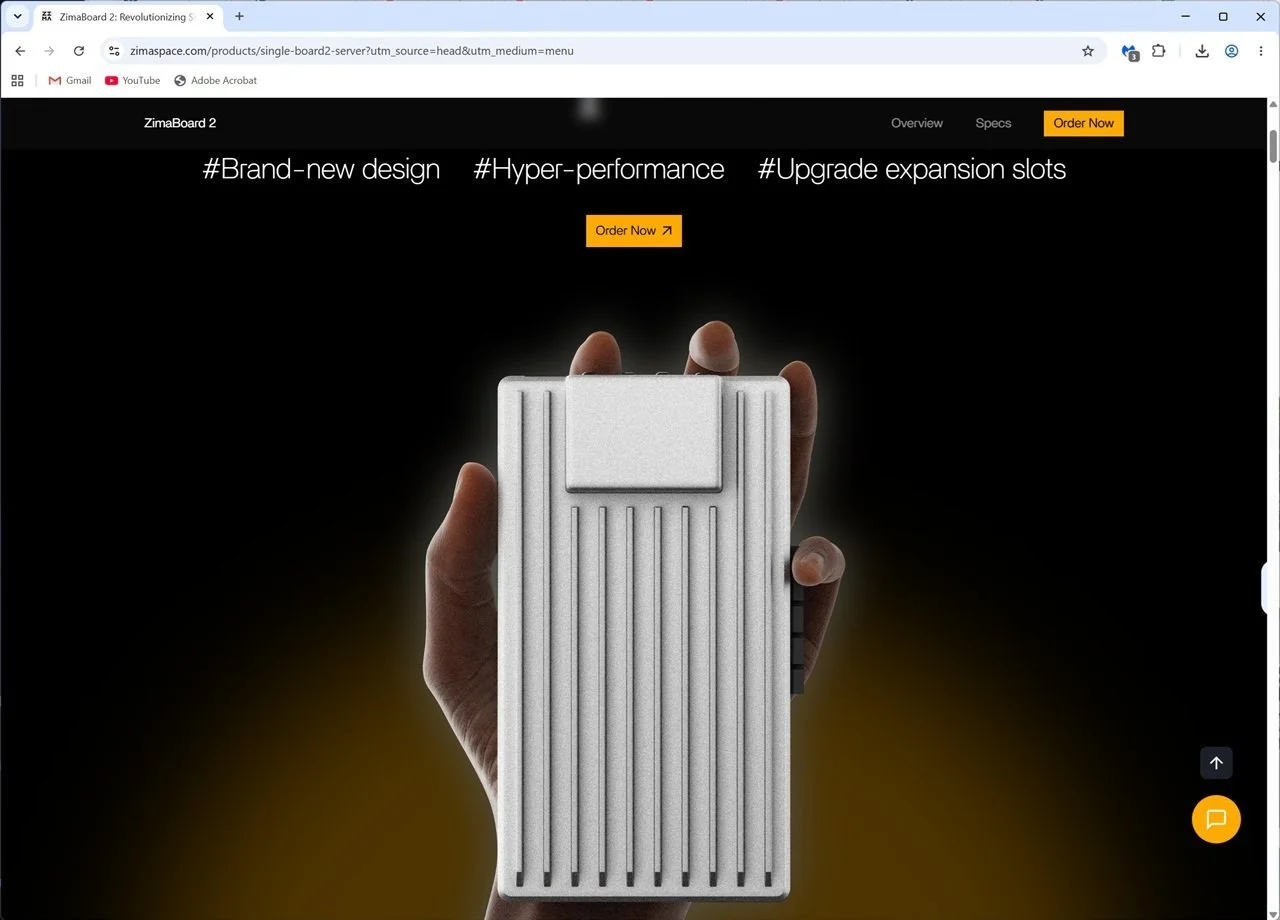
Screen shot from the company home page at ZimaSpace.com
I’m probably going to date myself here, but the name Zima harks back to a wine cooler that was all the rage when I was fresh out college. They folded about a decade later, but the name always sounded cool and sparkly to me. So, when I heard that there was a techy product by the same name, I had to check it out.
The company behind it is called IceWhale Technology Ltd., another cool name …literally. It was founded by two young entrepreneurs, Lauren Pan and Allen Shen, who are based in Taiwan. With the help of the tech community, they originally created a free cloud-type server called CasaOS that you could install on your home computer. That product is still available, too, btw.
Then they moved onto manufacturing their own mini computer to run the home cloud server and renamed the new version ZimaOS. At just $29, it’s not free like CasaOS, but it’s super inexpensive – that’s not a subscription price, that’s a lifetime license! What is even better is that if you buy one of their physical servers, you get ZimaOS for free, so technically it’s almost free.
The product that first caught my eye was the ZimaBlade. Not only did it have the cool Zima first name, but it was a blade, reminding me of the innovative Blade computers-on-a-board from that IBM manufactured in the late 90s. Or if you’re a D&D nerd, then yes, it also sounds like it’s related to the powerful Sword of Answering.
Funny how names can influence our purchasing decisions (note to self: future blog idea). The ZimaBlade had some cool tricks up its sleeve, too. It was small, just a hair larger than a cassette in its case – oops boomer ref – I mean it’s about the size of a pair of iPhone SEs on top of each other. It’s small.
The other thing that’s cool is that you can put a standard hard drive on it, or even a tiny SSD, connect a cable, and you’ve got a complete home server, a NAS. You can actually connect two drives to it, and IceWhale also sells a little stand to stack it all together. It has other ports to plug stuff into it as well, like USB drives, a network cable, and even a PCI expansion board. Totally cool.
Speaking of cool, because it isn’t inside a stuffy case, it also runs cool. No need for extra fans or cooling systems. Consequently, it also consumes very little electricity. As someone who’s had a whole stack of computer-based servers in my closet in the past, this was especially welcome.
Oh, and did I mention the price? This little wonder starts at just $69! Granted, I’d recommend you also add a few accessories like the power cord, internal memory, and some cables to connect a monitor and those hard drives, but all in, you’re still well under $200 to get started. That is an amazing price for what you receive.
Now, IceWhale has several models to chose from the little ZimaBlade, all the way up to the impressively spec’d ZimaCube. That one can house 6 hard drives for a real-world NAS server. If you used high-capacity drives you could easily store up to 7500 movies at 4K resolution, all inside that little ZimaCube!
That many drives would be costly, of course, so I opted for something a little more reasonable. I bought the mid-level ZimaBoard mostly because it was offered with a good bundle of cables and accessories and also because my storage needs are much more modest. I really just need to set up a file server to store images for our home business.
Now what makes the Zima products so popular is the ZimaOS software. It’s based on its CasaOS roots, which was also very popular before ZimaOS came along. It comes pre-installed in every Zima device, and once you plug up a monitor and keyboard, you can log in and get started. Btw, after setup, you won’t need the monitor and keyboard anymore because the device can be managed from any remote computer in your home/business using a web browser.
ZimaOS is super slick, it’s easy to set up – literally takes 30 minutes, and it should connect to your home network automatically (just connect a cable between it and your router). Then you can start sharing files because that’s also built-in. Configuring a shared place for everyone in your home/business is point and click simple. If you can set up a Synology NAS... heck, if you can share files from a Mac, you can set up ZimaOS.
Now, that has been the experience of others – just read the reviews. Unfortunately, I haven’t received mine yet because I just ordered it. I presume it’s shipping here from Taiwan. Then again it’s so small that I’m guessing it is arriving by plane and not a boat. If so, it should arrive any day.
When it’s here and I’ve had some time to kick the tires, I’ll write Part 2 of my experience with the ZimaBoard and ZimaOS. I’ll also include my own photos and some cool screenshots as well. Honestly, I can’t wait. This is going to be fun!